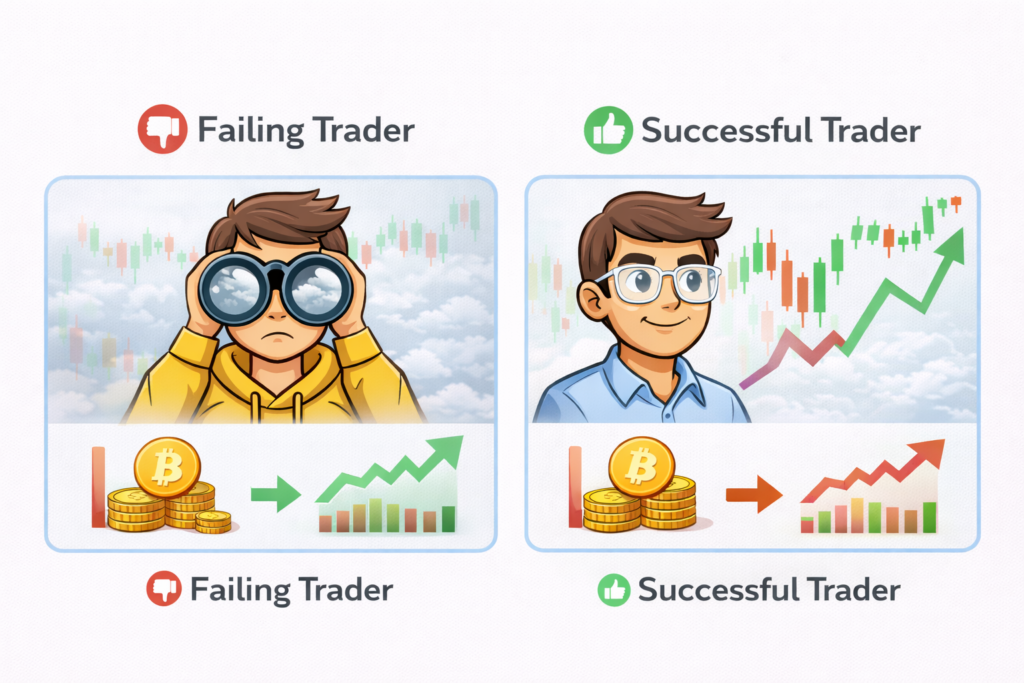
Most beginner traders don’t fail because they lack strategy.
They fail because they can’t see the market clearly.
Bad charts. Lagging data. Cluttered interfaces. Limited tools.
If you’re using the wrong platform, you’re basically trading blind.
That’s where TradingView comes in — often called the best charting platform for beginners and advanced traders alike.
This TradingView review will show you whether it’s actually worth using
Or is the free version enough?
Let’s break it down.
👉 If you just want a quick answer:
👉 TradingView is one of the best tools you can start with — but only if you understand which plan to use.
What Is TradingView? (Quick Overview)
TradingView is a web-based charting and analysis platform used by millions of traders worldwide.
Unlike traditional platforms like MT4 or MT5, TradingView focuses on:
- clean and intuitive charts
- powerful indicators
- social trading features
- browser-based access (no heavy install needed)
You can use it for:
- forex
- stocks
- crypto
- indices
- futures
👉 In short: it’s where most modern traders analyze the market before placing trades.
Why Most Beginners Struggle Without TradingView
Here’s the reality most people don’t talk about:
👉 Beginners don’t lose because of strategy
👉 They lose because of poor tools
Without a proper charting platform:
- you miss key levels
- your analysis is inconsistent
- you rely on guesswork instead of structure
And platforms like MT4/MT5?
They work — but they feel outdated and limited.
👉 This is exactly why many traders switch to TradingView early.
TradingView Pros and Cons
✅ Pros
- Extremely clean and beginner-friendly interface
- Works on browser, mobile, and desktop
- Hundreds of built-in indicators
- Ability to save charts and layouts
- Strong community and shared ideas
- Works with multiple markets (forex, crypto, stocks)
❌ Cons
- Free version has limitations
- Requires upgrade for full features
- Not a broker (you still need one to trade)
- Some advanced features locked behind paid plans
Is TradingView Free? (And What You Actually Get)
Yes — TradingView has a free plan.
But here’s the catch:
👉 The free version is intentionally limited
With the free plan, you get:
- basic charts
- limited indicators
- ads
- restricted layouts
👉 This is enough to explore — but not enough to trade seriously.
When Free Is Not Enough
You’ll quickly feel the limits when:
- you want multiple indicators on one chart
- you need to save different setups
- you want cleaner, distraction-free charts
- you start trading more actively
👉 This is where most traders upgrade.
👉 See our full TradingView review of pricing here
TradingView Pricing (Simple Breakdown)
TradingView offers multiple plans:
- Free
- Essential
- Plus
- Premium
Each upgrade mainly gives you:
- more indicators per chart
- more charts per layout
- faster data
- no ads
👉 The real question is not “which plan is best”
👉 It’s:
At what point do you actually need to upgrade?
👉 See full breakdown here:
TradingView Pricing Guide (Which Plan Is Worth It?)
Is TradingView Worth It? (Honest Answer)
👉 Yes — but not for everyone.
✔ Worth it if:
- you want clean, professional charts
- you’re serious about learning trading
- you use multiple indicators
- you want to stay consistent
❌ Not worth it if:
- you’re just casually exploring
- you don’t use charts much
- you rely only on signals or copy trading
👉 For most beginners who actually want to improve:
TradingView becomes essential very quickly.
TradingView vs MetaTrader (MT4/MT5)
This is where things get interesting.
TradingView:
- better charts
- easier to use
- more visual
- modern interface
MT4 / MT5:
- execution platform
- used by brokers
- better for placing trades
👉 The truth:
Most traders use BOTH.
- TradingView → analysis
- MT4/MT5 → execution
👉 See full comparison:
TradingView vs MetaTrader (Which One Should You Use?)
My Experience Using TradingView After 4 Years of Trading
I’ve been using TradingView Essential plan for 4 years now — and the honest reason I upgraded from free wasn’t charting quality.
It was Pine Script and backtesting data.
On the free plan, M5 and M15 data runs out fast. If you’re backtesting a strategy over 2–3 years on lower timeframes, you simply don’t have enough bars to get statistically meaningful results. That alone made the upgrade worth it for me.
The other reason: I build my own Pine Script scanners to filter trade setups across major pairs before the session opens. On the free plan, you can’t run custom scripts at the same scale. Essential plan removed that ceiling.
What I actually use TradingView for:
- Pre-session scan across EUR/USD, GBP/USD, USD/JPY and other major pairs
- Custom Pine Script indicators for entry signals
- Multi-timeframe analysis before placing swing trades
What I don’t use it for:
- Execution — I place trades through my broker’s platform
- Crypto or stocks — I focus on forex majors
Bottom line from my experience:
If you’re a complete beginner, the free plan is genuinely enough to start. But once you’re backtesting seriously or writing your own indicators, Essential is the minimum you need. The data limitation on free is the real wall — not the feature list.
Best Broker to Pair With TradingView
TradingView handles your analysis. You still need a broker for execution.
For swing traders focused on forex majors, the most important factor is overnight swap costs and execution reliability — not just spread.
After comparing options, IC Markets stands out for ECN execution on major pairs with transparent swap rates.
Regulated by ASIC and CySEC. $200 minimum deposit.
👉 Or see which brokers work best with TradingView:
Best Brokers That Work With TradingView
Best Way to Use TradingView as a Beginner
If you’re just starting:
Step 1:
Use TradingView free plan
→ learn the interface
Step 2:
Test paper trading
→ simulate trades
Step 3:
Upgrade only when needed
→ don’t rush
Step 4:
Connect to a real broker
→ execute trades
👉 Learn how here:
TradingView Tutorial for Beginners
Final Verdict
TradingView is not just another trading tool.
It’s the difference between:
❌ guessing the market
✅ actually understanding it
If you’re serious about trading, you’ll likely end up using it anyway.
The only real question is:
👉 When do you start using it properly?
👉 Try it yourself and see the difference:
Start Using TradingView (Free Plan Available)
FAQ
Is TradingView good for beginners?
Yes. It’s one of the easiest platforms to learn charting and analysis.
Is TradingView free?
Yes, but the free version has limitations.
Do I need TradingView to trade?
Not required — but highly recommended for better analysis.
Can I trade directly on TradingView?
In some cases yes (with supported brokers), but most users still use a broker separately.